Scanned Document OCR — Turn Images into Structured Data
Convert scanned documents into structured headings, body text, tables, and charts with a layout-aware Vision-LLM.
Why it's hard
Scanned official documents and brochures are just images — you can't search, edit, or integrate them into your systems.
Basic OCR only lists out the characters — it can't tell which part is a heading and which is a table.
The DEEP Agent approach
DEEP Agent classifies scanned images into headers, body text, charts, and tables, reconstructing the document's structure exactly.
The reconstructed structure is ready for review, search, and automation, eliminating manual re-entry.
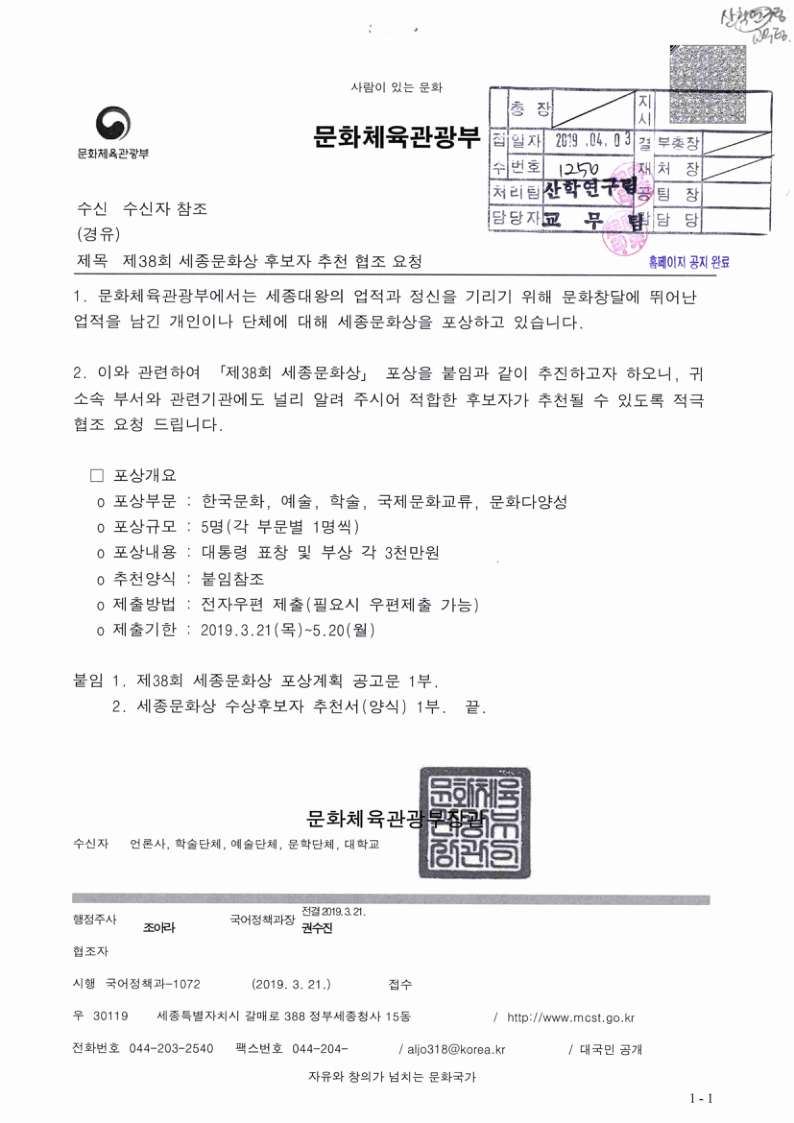
Extraction results from real documents
Below are the results of processing real documents with DEEP Agent.
Frequently asked questions
Can it recognize low-resolution scans?
The Vision-LLM fills in the gaps using context, so it recognizes reliably at typical scan quality.
Does it automatically distinguish headings from body text?
Yes. It classifies each element into categories such as headers, body text, tables, and charts.
Can it extract tables from images?
It recognizes tables and charts as separate categories and reconstructs them down to the cell structure.
Which input formats are supported?
It supports PDF and images (PNG, JPG), and handles multi-page documents as well.
Try it with your own document
Upload a document without signing up and see the extraction results instantly.
Try document parsing for free